Projects
Things I build outside work. Mostly for myself, then polished enough to hand to somebody else.
DiscWright#
Turns a game you own into a disc that works like one from a box: its own icon and name in This PC, a menu when it goes in with Install, the manual, the extras and the game’s music, and every file read back after burning to prove the disc came out right. It takes a GOG offline installer, any other game’s installer, or a plain folder of game files.
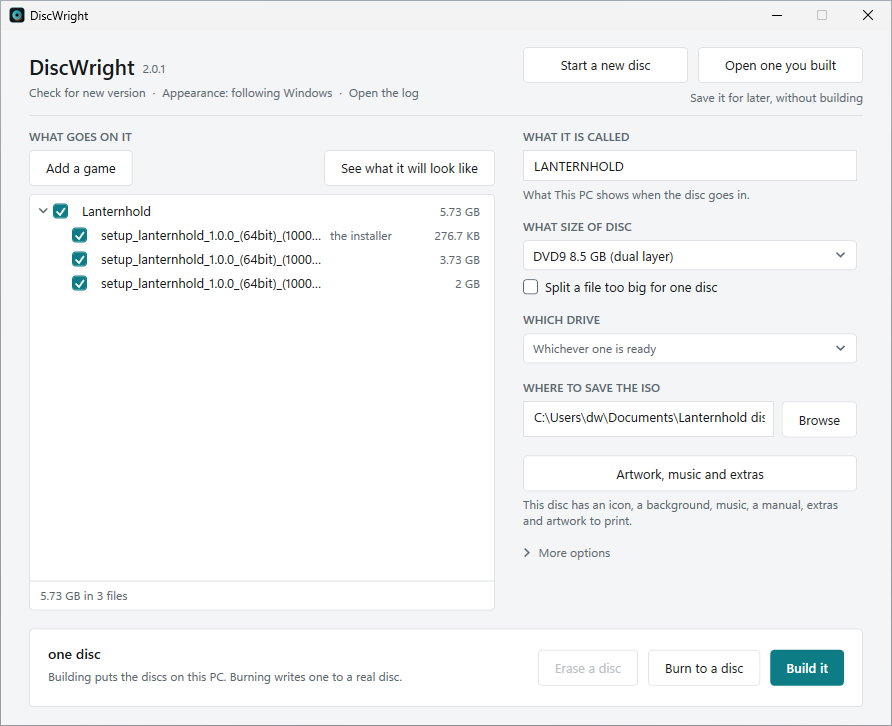
A game too big for one disc becomes a numbered set, and any disc of the set installs the whole game: its menu copies each disc, asks for the next one, puts the files back together and checks them before the installer runs. It writes CD, DVD and Blu-ray, and makes disc images to burn later when there is no writer to hand.
How it was made. DiscWright started as PowerShell scripts, and version 2.0 is a full Windows app in C# and .NET. I designed it and decided how every part of it should behave. The C# was written with Claude Code, and I proved it the way it will be used: burning real discs on real drives and installing games from them. Behind it are 1,921 automated tests, and mutation testing, which plants faults on purpose to see whether the tests notice, catches about 89% of them where the app’s decisions are made.
Free, MIT licensed, Windows 10 and 11. It updates itself when asked, installs with winget, and is on its way to the Microsoft Store.
discwright.com · GitHub · Releases
DiscWright (PowerShell)#
The first DiscWright, before 2.0, and still available. Turns a GOG offline installer into a real game disc. The game’s own icon and title show up in Explorer, a menu opens when you open the drive, and every file sits where that menu expects it. Several games and their add-ons can share one disc.
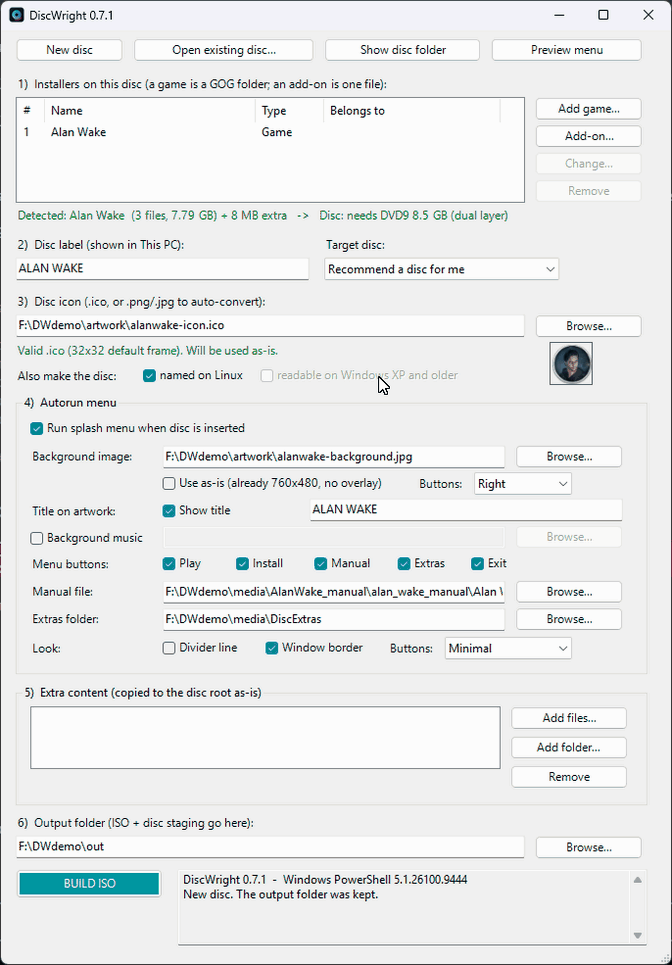
I wrote it because burning a DRM free game to a disc should be more than dragging a folder onto a blank DVD. The disc you get from this has a label, an icon, a manual, extras and a menu with Play and Install, and it still reads on machines old enough to have a disc drive in the first place.
Free, MIT licensed, Windows 10 and 11, nothing to install. It is PowerShell, so you can read every line of it before you run it.
DiscWright for Linux#
On the roadmap.